How to claim your boost rewards

Considering boosting our Discord server, or have you already done it? Awesome!
When you boost, you get a free reward every month: either a premium banner or a Discord icon with a background. You’ll keep receiving it for as long as you continue boosting, and claiming it is very simple.
Boosting our Discord Server
To get started, you need to boost the server in order to unlock rewards. If you’re not sure how, Discord offers an excellent tutorial on their website.
Once your boost is active (you’ll know it worked when your name turns purple in the server) you’re all set to continue!
Claiming your boost code
After making sure your boost is active and your DMs are enabled for the server, head to the #🤖bot-commands channel and type -claimboost
The bot will then send you a DM with an exclusive code.
Use this code on our website to create either a Discord icon with a custom background or a premium animated banner!
Using your boost code
This step differs a bit depending on if you'd like an animated banner or a discord icon, but they're still pretty close!
Using it for a Discord Icon
Choose an icon that you'd like from our selection over at our Discord logo maker. Once you've found one that you like, make sure that it's compatible with a custom background by finding this field:
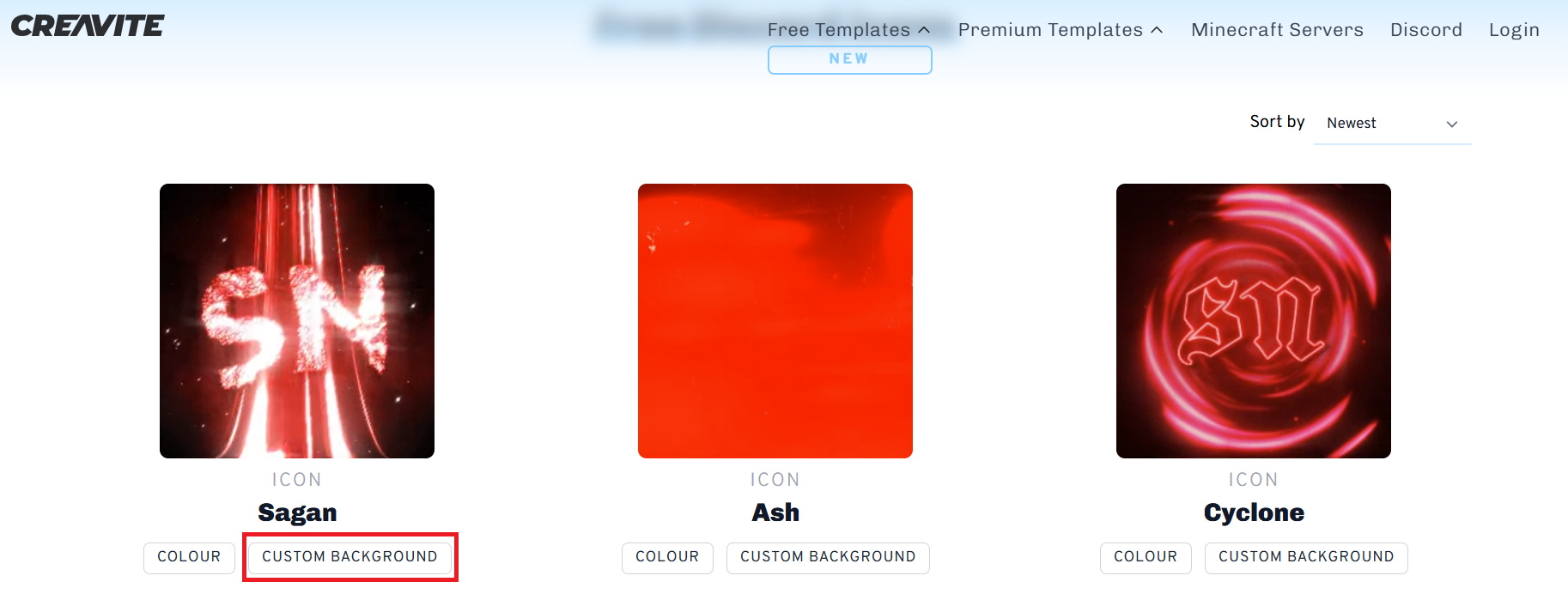
Then upload the background you'd like to use. However, please note that there are some restrictions:
- It must be under 8mb
- It must be a valid gif, jpg or png file
- It must not be a webp file
Once you’ve chosen a valid background and filled in the required details (name, color, and email), click the “Preview” button. After about 30 seconds, you’ll see a static preview of your Discord logo.
If you’re happy with how it looks, click “Order”, then select “Boost” and enter the code you received earlier
After entering your code, click “Order” again and wait a few seconds for your file to be processed. Please avoid clicking the button multiple times.
If everything went well, you should see a message saying that your order has been received! It will land in your inbox within 30 minutes, usually even quicker! If it doesn't, please feel free to open a ticket in our Discord server and we'll help you out.
Using it for a Premium Animated Banner
Start by going to the premium page and selecting the banner you’d like. Then fill out all the required information such as your name, chosen features, and email.
After confirming that everything is correct, scroll down to the bottom and enter your boost code in the “Coupon” field, like in the example below:
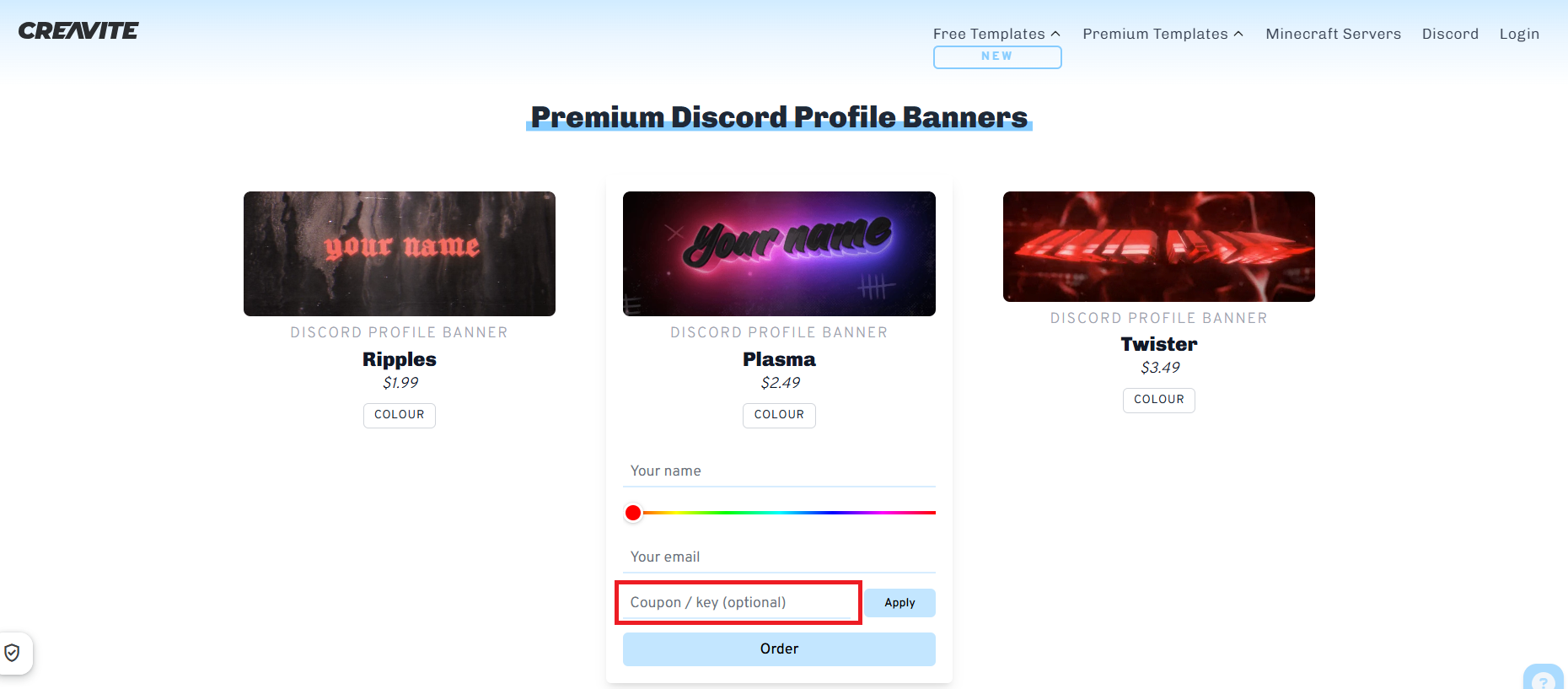
After entering your code, click “Apply” and the price should update to $0. Double-check that all your information is correct, then click “Order.”
A confirmation window will appear. Review your details, and if everything looks good, click “Confirm.”
If your order is successful, you’ll see a message confirming it has been received. Your file will be sent to your email within 30 minutes (usually much faster).
If you don’t receive it, feel free to open a ticket in our Discord Server and we’ll be happy to help!
What if I can't boost your server?
No problem! You can still purchase a Discord icon with a background for $0.99, or an animated banner for $1–4.
If you’d rather not spend money, you can earn rewards for free. Simply join our Discord Server and chat with other users. For every message you send, you’ll earn 1–5 coins. Once you reach 800 coins, you can exchange them for a premium product.
You can also earn coins by voting for us, you’ll get 50 coins per vote, up to twice a day!
If you still have any questions, feel free to open a ticket in our Discord Server and we'll do our best to help you out!